Your desktop, your phone and your tablet each want a different wallpaper file
SECTION
DEVICESANSWERS
anime wallpaper desktopREAD
7 minFIGURE
photographAn anime wallpaper for a desktop needs at least as many pixels as the panel it will fill, which means 1920 x 1080 for the most common monitor in the world, 2560 x 1440 for a typical 27 inch screen and 3840 x 2160 for a 4K one.
That answer is complete for one ordinary monitor and it stops being complete the moment a second device is involved. The same picture that fills a widescreen desktop leaves the sides of an ultrawide empty, arrives cropped to a ribbon on a phone, and looks soft on a Retina laptop even when the file is larger than the screen appears to ask for. Nothing is wrong with the picture. Each screen is asking a different question of it, and the table below is the list of questions.
Every common screen and the file it wants
Every common screen wants one pair of numbers, and the file that satisfies it is the one that meets or beats both of them. The reasoning behind each row belongs to the screen size pillar of this site, the page on what size a desktop wallpaper should be; what follows is the result.
| Screen | Pixels | Aspect | What the file needs |
|---|---|---|---|
| Budget laptop panel | 1366 x 768 | 16:9 | Anything 1920 x 1080 or larger, downscaled |
| FHD monitor, the world default | 1920 x 1080 | 16:9 | 1920 x 1080 exactly, or larger |
| WUXGA laptop | 1920 x 1200 | 16:10 | 1920 x 1200, taller than a 16:9 file |
| QHD monitor, 27 inch | 2560 x 1440 | 16:9 | 2560 x 1440 or a 4K file downscaled |
| 4K UHD monitor | 3840 x 2160 | 16:9 | 3840 x 2160, and genuinely that size |
| Ultrawide, 34 inch | 3440 x 1440 | 21:9 | A file drawn wide, not a 16:9 file cropped |
| Super ultrawide, 49 inch | 5120 x 1440 | 32:9 | 5120 x 1440, effectively a panorama |
| Two FHD monitors side by side | 3840 x 1080 | 32:9 | One file at 3840 x 1080, not two copies |
Two rules run through the whole table. A file with more pixels than the screen is safe, because reducing an image throws pixels away and the result is still sharp. A file with fewer pixels than the screen is not, because enlarging an image invents pixels that were never drawn, and flat anime color shows that invention more clearly than a photograph does.
Why the same picture is a different file on every device
The same picture becomes a different file on every device because shape, not size, is what actually breaks. A monitor is 16:9, or a ratio of 1.778. An ultrawide is 21:9, or 2.389. A phone held upright is around 19.5:9 or 20:9, which is 2.167 or 2.222 the other way round. None of those are the same shape, and a system that fills a screen has to remove whichever axis is proportionally longer.
Put a 16:9 file on a 21:9 ultrawide and scale it to fill the width: you keep about 74% of the original height, so roughly 13% is cut off the top and the same off the bottom. Put the same file on a phone in portrait and the arithmetic collapses. To cover the height of a 9:19.5 screen, that file has to be about 3.85 times as wide as the screen, which means the vast majority of the picture is off frame and the part that remains is whatever happened to be in the middle.
WHAT GETS LOST
Cropping is not a compromise between the FILE and the SCREEN. It is the SCREEN taking a rectangle and the rest becoming LOST. A composition with its subject dead center survives that; a composition with the subject to one side and a horizon low in the frame usually does not.
The resolution your computer reports is not the resolution of the panel
The resolution your computer reports is a scaled number on any modern high density display, and the panel underneath has more pixels than that. macOS reports points, the panel has pixels, and on a Retina display there are two pixels per point in each direction. A MacBook Air 13 in reports 1280 x 832 and has 2560 x 1664. A 24 in iMac reports 2240 x 1260 and has 4480 x 2520. Size a wallpaper to the reported number and it arrives at half resolution, then gets enlarged to fit. This is the single commonest cause of a blurry wallpaper on a Mac, and it has nothing to do with the picture.
Windows does the same thing under a different name. Turn on display scaling and the desktop reports fewer effective pixels than the panel holds, so a file matched to the reported figure is short of the panel. The safe habit on any device is to find the native pixel count of the panel, ignore what the settings screen says, and match that.
Phones, tablets and handhelds, the screens that are not 16:9
Phones, tablets and handhelds are where the 16:9 habit stops working entirely, because none of them are that shape and two of them rotate. A phone is portrait and extremely tall. A tablet is portrait or landscape depending on how it is being held at that second. A handheld console is fixed landscape but at a ratio the desktop world abandoned.
| Device | Native pixels | Note |
|---|---|---|
| iPhone, 6.1 in standard class | 1179 x 2556 | 3x scale, reports 393 x 852 in points |
| iPhone, 6.7 and 6.9 in Max class | 1290 x 2796 | 3x scale, reports 430 x 932 |
| Mainstream Android phone | 1080 x 2400 | 20:9, and the launcher may want extra width |
| Flagship Android phone | 1440 x 3120 | 19.5:9 |
| iPad Pro 11 in | 1668 x 2388 | Rotates, so one file faces two crops |
| iPad Pro 12.9 and 13 in | 2048 x 2732 | Reports 1024 x 1366 in points |
| Steam Deck | 1280 x 800 | 16:10, fixed landscape |
| Nintendo Switch, handheld mode | 1280 x 720 | 16:9, the smallest common target |
An anime phone background is the hardest case in that table, because artwork is drawn in landscape or in a modest portrait and nothing is drawn at 2.167 to one. The device pages here treat each of those screens separately for that reason.
What makes a desktop background look blurry, and what does not
A desktop background looks blurry for three reasons, and the picture being an unpopular one is not among them. The first is a file smaller than the screen, enlarged to cover it. The second is compression: Windows re-encodes desktop wallpaper as JPEG by default, and a clean PNG can arrive blocky once it is set, which the JPEGImportQuality value in the registry exists to prevent. The third is banding, the visible stepping in a smooth gradient, which happens because 8-bit color carries only 256 levels per channel and a wide flat sky can cross fewer levels than it has pixels. Anime art is unusually exposed to banding because it uses large areas of flat and near flat color.
The fix for all three is the same order of operations: start with a file that is already bigger than the panel, keep it in PNG or a modern format such as WebP or AVIF while you work, and let the system do the reduction rather than doing an enlargement yourself.
Moving wallpaper is a different kind of file entirely
A moving wallpaper is not a picture with a larger number attached, it is a video the device never stops playing, and everything in the tables above changes when the file is a loop. Wallpaper Engine is a Steam program that plays things on the desktop, and it is Windows only and paid. A live wallpaper on a phone draws power for as long as the home screen is visible and nothing at all once the screen is off. Both are covered on their own pages here, because the cost side of the question is a different subject from the fit side.
The question that comes before the size question
Before any of these numbers matter, the picture has to be yours to use, and finding the picture is the easy part. This site hosts no wallpaper files and points at no gallery of copyrighted anime artwork. What it can tell you is which categories are genuinely free: work a rights holder has released with stated terms, such as the large set of stills Studio Ghibli published on ghibli.jp in September 2020 for free use within the bounds of common sense; work under an open license, where you still have to read which one, since an ND license forbids the derivative that cropping to your screen creates; work licensed directly from the artist; and work you made yourself. Free to download belongs to none of those categories. It describes what a server will let you do, not what a license permits.
Where to start
 1. MAC WALLPAPERSmacOS fills the screen, so the sides of your picture go missingMac wallpapers are set one per display in the Wallpaper pane of System Settings, and macOS scales every picture to fill the screen.
 2. LOCK SCREEN WALLPAPERThe lock screen is portrait on a phone and cropped on a desktopLock screen wallpaper is a separate image slot from the home screen or the desktop on Windows, Android and iOS, with its own crop, its own safe area.
 3. LIVE WALLPAPER COMPUTERWindows has no live wallpaper of its ownA live wallpaper on a computer running Windows always comes from a third party program.
Devices, part 1 of 4
 DEVICES, PART 1 OF 4Windows re-encodes your wallpaper unless you stop itWindows 11 does not display the wallpaper file you chose, it copies that file into your user profile, re-encodes the copy as JPEG and displays that.DEVICES, PART 1 OF 4A 4K live wallpaper is a 4K video, playing foreverA 4K live wallpaper is a video file at 3840 x 2160 that your machine plays on a loop and never finishes.LIVE WALLPAPER ANDROIDAndroid has run live wallpapers since 2010, and it showsA live wallpaper on Android is a system service rather than an add on.
 ANDROID WALLPAPERSAndroid asks for a wallpaper wider than the screen, then hides the restAndroid wallpapers are drawn from a single file that the system asks to be wider than the screen so a launcher can scroll it between home screen pages.
 ANIME WALLPAPER IPHONEAn iPhone keeps the top and the bottom of your wallpaper for itselfAnime wallpaper on an iPhone has to be built for a frame far taller than any artwork is drawn in, at the phone's native pixel size.
 UPSCALE IMAGES FREEUpscaling invents pixels, and on flat anime colour the invention showsFree upscalers exist, and every one of them works by inventing the pixels that were never in the file.
 ANIME WALLPAPER FOR PHONEA phone screen is taller than almost any picture you will findAn anime wallpaper for a phone has to be a portrait file at roughly 19.5:9 or 20:9, which is a shape essentially no artwork is composed in.
 DEVICES, PART 1 OF 4A free live wallpaper app is usually selling something elseA live wallpaper app is a program that installs a moving background on a phone by registering a wallpaper service the system runs whenever the home.
Devices, part 2 of 4
 HOW TO MAKE A WALLPAPERTo make a wallpaper from a picture: crop first, resize second, never the other way roundTo make a wallpaper from a picture you already have, crop it to the screen's aspect ratio first, resize that crop once to the screen's pixel size.
 ANIME WALLPAPER FOR LAPTOPA 13 inch laptop can want more pixels than a 27 inch monitorAn anime wallpaper for a laptop has to match the panel's native pixel count rather than its size in inches.WALLPAPER ENGINE MACIt does not run on macOS, and that is unlikely to changeWallpaper Engine does not run on macOS: it is a Windows program, there has never been a Mac build, and the developer has announced none.
 ANIME WALLPAPER IPADAn iPad rotates, so the wallpaper has to work twiceAn anime wallpaper for an iPad has to survive two crops instead of one.
Devices, part 3 of 4
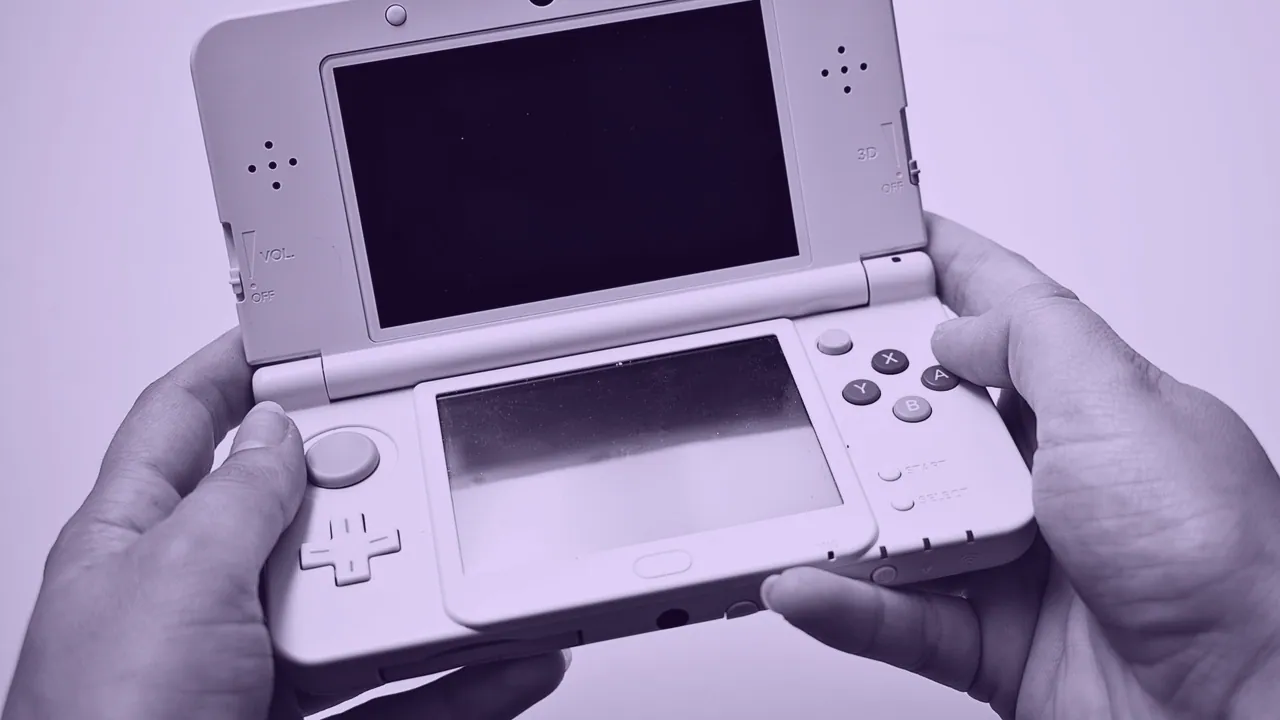 DEVICES, PART 3 OF 4Wallpaper Engine runs on Linux under Proton, unofficially and with conditionsWallpaper Engine runs on Linux and on the Steam Deck only through Proton.LIVE WALLPAPER FOR IPHONEWhat iOS calls a live wallpaper has changed thoroughly since 2015A live wallpaper for iPhone is not a video file you supply: iOS accepts a Live Photo.
 DOES OLED BURN INA bright fixed image left on an OLED for months does leave a markYes, OLED burn in is real: every subpixel in an OLED panel dims as it is used.
 HOW TO MAKE A WALLPAPERA moving wallpaper is a short loop, not a long videoTo make a wallpaper move, build a short loop whose last frame matches its first, export it at the screen's own pixel size.
 DOES WALLPAPER ENGINEWallpaper Engine costs almost nothing while a window covers it, and real frames while none doesRarely, and almost never while a game is running: Wallpaper Engine pauses by default the moment another application is fullscreen or maximized over it.
 DOES LIVE WALLPAPER DRAINA moving wallpaper keeps the screen and the GPU awake, and the battery pays for itYes, but only while you are looking at it: a live wallpaper draws power whenever the home screen or desktop is visible.MAC WALLPAPER 4KA 4K file on a 5K iMac is still an upscaleA 4K wallpaper is 3840 x 2160 pixels, which is smaller than Apple's desktop displays.