A moving wallpaper keeps the screen and the GPU awake, and the battery pays for it
SECTION
DEVICESANSWERS
does live wallpaper drain batteryREAD
7 minFIGURE
photographYes, but only while you are looking at it: a live wallpaper draws power whenever the home screen or desktop is visible, and nothing at all when the screen is off or an application is in front of it.
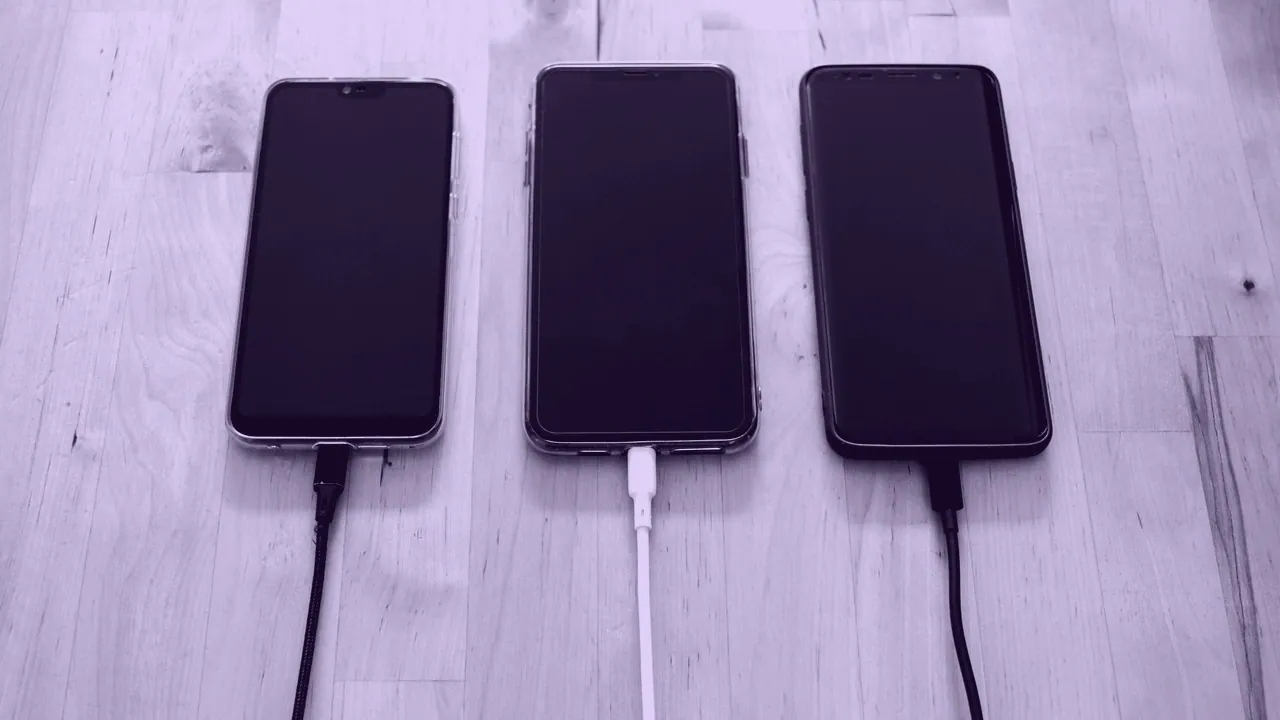
That single rule explains almost every argument about this. Two people can run the same moving wallpaper on the same phone and measure completely different costs, because one spends the day inside apps and the other keeps returning to a home screen. A wallpaper is not a background process. It is a thing your device draws, and only while it is on screen.
When a moving wallpaper draws power and when it draws none
A moving wallpaper draws power in exactly one state, the state where you can see it. On a phone that is the home screen with the display awake. On a laptop or desktop it is the desktop visible with no window maximized over it. The moment an app comes to the front, a well behaved wallpaper stops being drawn. Wallpaper Engine is a Steam program that plays video and scene wallpapers on Windows, and it pauses by default when another application is fullscreen or maximized over it, which is why its measured cost inside a game is usually near zero.
| Wallpaper type | What runs while it is visible | What runs while an app covers it |
|---|---|---|
| Still image, JPEG or PNG | Nothing. The frame is already composited | Nothing |
| Slideshow of stills | One decode at each change, nothing in between | Nothing |
| Video loop | A video decoder and the compositor, every frame | Nothing, the loop is paused |
| Rendered scene or particle effect | The GPU, every frame | Nothing, if the program pauses when covered |
| Web page wallpaper | A browser engine and whatever scripts the page runs | Usually throttled rather than stopped |
Why nobody can honestly give you a percentage
The percentage everybody wants does not exist, because the cost is a product of variables that differ on every device: the panel, the brightness you run it at, the resolution the wallpaper is rendered at, the frame rate it asks for, and above all how much of your day is spent on the home screen rather than inside an app. A figure measured on one phone with one usage pattern does not transfer to yours, and a page quoting a flat number has quietly picked those variables for you.
The mechanism is more useful than a number anyway. Rendering a frame costs work proportional to the pixels in it, so a loop at 1440 x 3120 on a flagship phone panel is doing more work per frame than the same loop at 1080 x 2400 on a mainstream one. On the desktop the arithmetic is starker: 3840 x 2160 is four times the pixels of 1920 x 1080, not twice, and an ultrawide at 3440 x 1440 or a super ultrawide at 5120 x 1440 is more again. The same picture is a different file on every device, and a different amount of work on every device.
What a true black wallpaper saves on OLED and does not save on LCD
A true black wallpaper saves real power on an OLED phone and saves nothing at all on an LCD one, and the difference is physical rather than a setting. An OLED subpixel showing pure black is switched off, so a genuinely black area of the screen costs close to nothing to display. An LCD has one backlight behind the whole panel, and that backlight is on whether the image in front of it is black or white, so a black wallpaper on an LCD changes the look and not the draw.
The same fact makes a dark wallpaper the sensible choice on an OLED for a second, unrelated reason, which is uneven panel wear. The two recommendations happen to point the same way.
Live wallpaper against a still design, item by item
A still design costs nothing to display and a live wallpaper costs something every visible frame, and that is the entire practical difference. Set against each other:
- Compare the draw: a still image is composited once and then held, so its ongoing cost is zero on every platform.
- Compare the work: a live wallpaper decodes or renders continuously while visible, so its cost scales with resolution and frame rate.
- Compare the interruption: a live wallpaper stops when an app covers it, so a heavy phone user may barely notice it.
- Compare the legibility: a still design can keep quiet areas behind icons and text, while a moving one changes what is behind them every second.
The laptop and desktop case
On a laptop the cost is the same mechanism with a shorter fuse, because a laptop on battery has no wall socket to hide the draw. A laptop desktop is visible more often than people think: every time you minimize everything, every time you close a window, every alt tab that lands on nothing. Two settings matter, whether the program pauses when a window covers it, and what frame rate and quality it renders at. Wallpaper Engine exposes both directly, and the free open source Lively Wallpaper and ScreenPlay expose the equivalent.
Performance is a separate question with a simpler answer. A wallpaper that pauses when covered cannot slow down a game running fullscreen over it, because it is not running. One that does not pause is competing with your application for the same GPU, and on a machine already at its limit that competition is measurable.
Lock screen and home screen are two separate slots
An iPhone holds two wallpapers, not one: the Lock Screen and the Home Screen are separate slots and can carry different images. Making them different is therefore not a trick, it is choosing the second image while editing the pair. It matters for cost too, because the lock screen is on screen briefly and the home screen is where a moving wallpaper actually accumulates its draw.
The lock screen also reserves space you do not control. The clock takes the top of the frame and the flashlight and camera buttons take the bottom, so a design with its subject in the middle survives that layout and one with detail at the edges does not. A live wallpaper is a video your device never stops playing, and on a lock screen it is competing with a clock for the same rectangle. Finding the picture is the easy part, and deciding which slot it belongs in is the rest.
WHAT THIS COSTS
A still wallpaper costs nothing after the first frame. A live wallpaper costs work on every frame it is visible for, scaled by the pixels it covers, and nothing while it is hidden. The honest compromise is a moving lock screen and a still home screen, because the home screen is where the hours go.
Where to go next
WHAT IT COSTS
Pick what you are putting on the screen.
Costs nothing to display. A static wallpaper is drawn once and then left alone, so it uses no ongoing GPU time and no extra power on any device. On an OLED panel the only consideration is the opposite one: a bright element that never moves is the case that ages the panel unevenly.
Costs power whenever the screen shows it. The loop is decoded and drawn continuously while the home screen or desktop is visible, and nothing at all when the screen is off or an app is in front of it. Whether that is cheap depends on hardware decode: a codec the chip decodes in dedicated silicon is far cheaper than one it does not.
The most expensive option, and the most controllable. A scene runs real work every frame, so it costs GPU time and, on a laptop or a phone, battery. Programs that run these normally pause them when another window covers the desktop, which is why the measured cost while you are actually using the machine is often near zero.